Evidence
Evidence is the full list of data points behind a channel, and the place to verify a signal or find a quote worth using.Activity over time
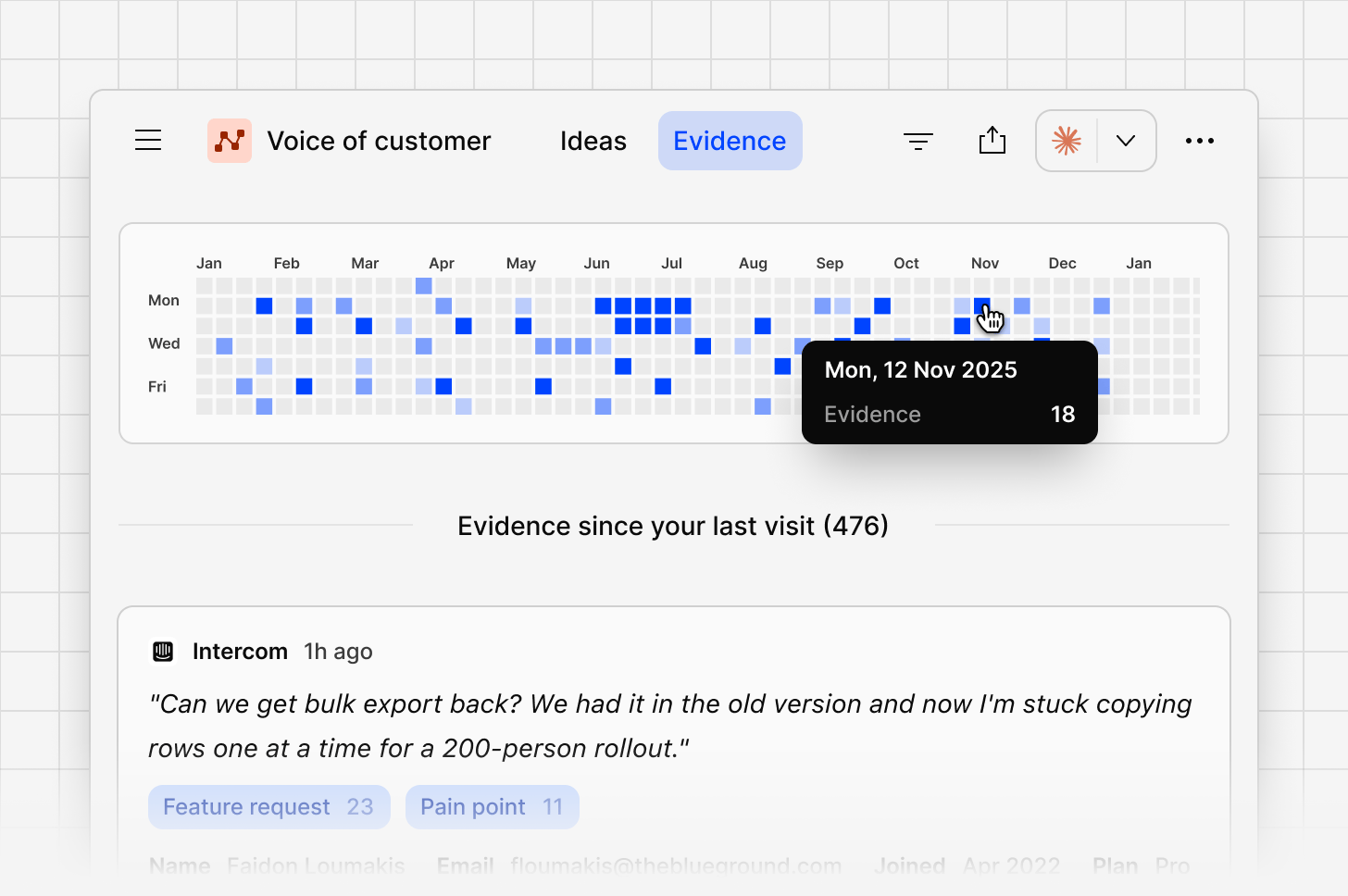
A calendar-style view shows evidence volume by day, so you can see at a glance when feedback spiked or went quiet.Full evidence list
Every data point across every connected source appears here, most recent first, with a preview of the content and the contact who shared it.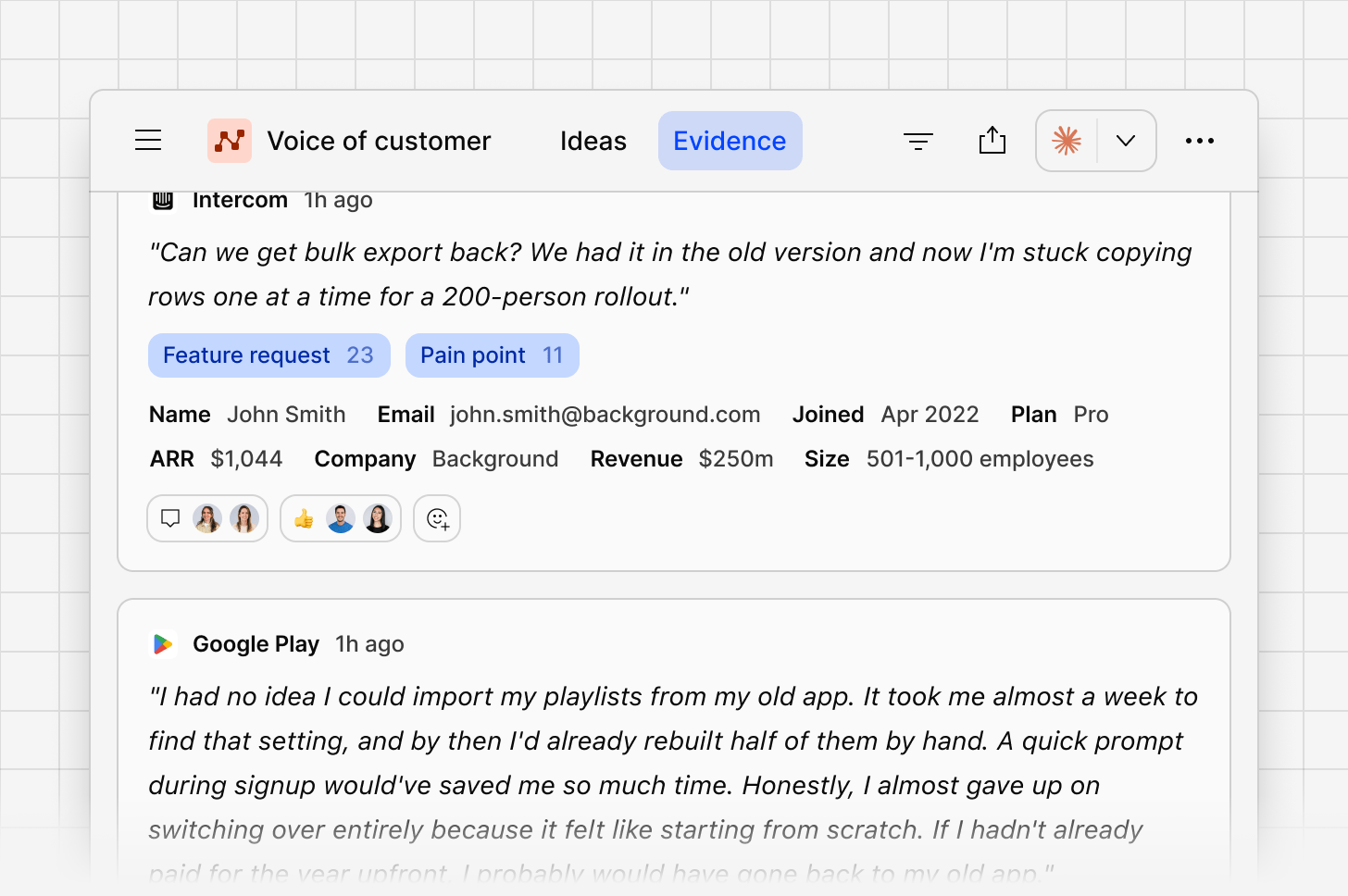
Evidence panel
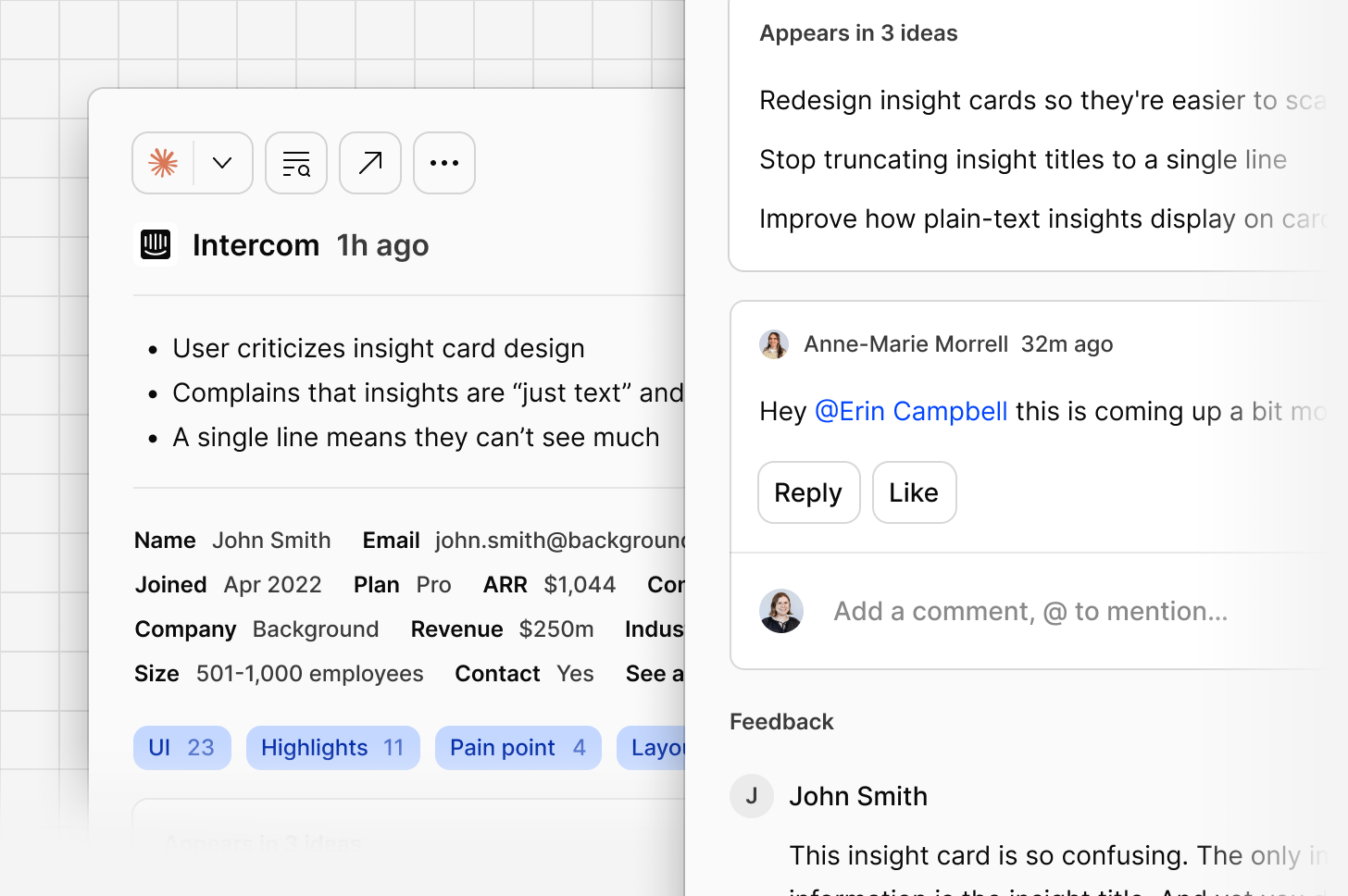
Open a data point to see:- Contact details, if enabled from your Contacts database
- Whether this piece of evidence is already linked to an idea or not.
- The full feedback, including the complete thread if it’s part of a conversation
Open data point
Opening a data point in full shows its complete breakdown: sentiment, the feedback itself, and contact details.Add evidence to an existing idea
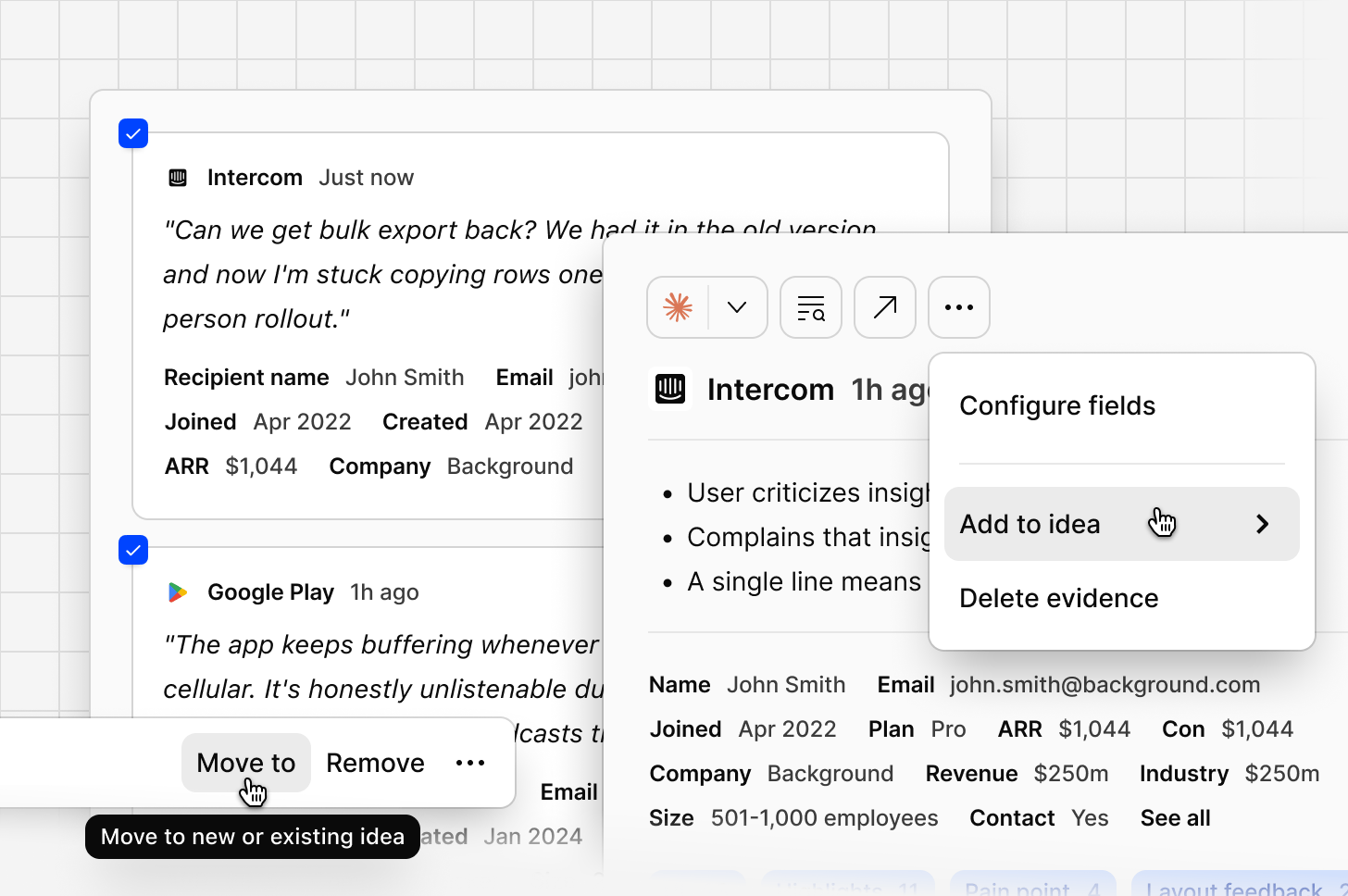
There are two ways that you can move evidence to another idea. Option 1. Moving the evidence from within the evidence tab- From the evidence tab, open the piece of evidence
- Select the
...More menu from the evidence side panel - Navigate to
add to idea - Search and choose the idea you wish to move the evidence to
- From the ideas tab, select the idea that contains the evidence you wish to move
- Scroll down to the attached pieces of evidence
- Select the evidence or pieces of evidence you wish to move
- Select
move to idea - Search and choose the idea you wish to move the evidence to